
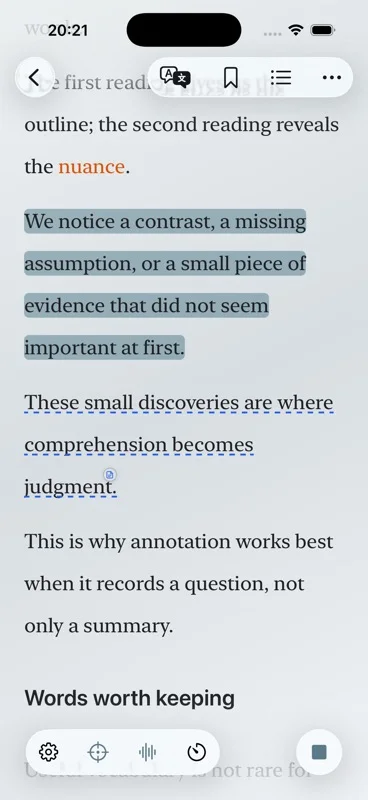
Short answer: an EPUB reader with text to speech follows the book’s chapters instead of a flat page image. Aurader imports the EPUB onto the Bookshelf, highlights the spoken sentence, and can add background music under the voice.
Why an EPUB is the book to read aloud
EPUB is a sequence of chapters, not a stack of pictures. The text can reflow when you change type size or spacing, and a table of contents can take you to a chapter before the voice starts. That is the difference between this page and the PDF reader guide. A PDF is often a fixed layout. An EPUB is usually the better file when the job is “read this book aloud on iPhone.”
Aurader’s Bookshelf holds EPUB, PDF, TXT and audiobooks. Choose EPUB when you have the book as a reflowable file. Choose an audiobook file when you already have a recording and do not need sentence highlighting of your own text. Choose PDF when the source only exists as a PDF, then check whether it contains real text.
- Check the format. If you can pick chapters and the line length changes when the type gets larger, you are in EPUB territory.
- Keep it on the Bookshelf. Longer files belong there. Articles are for a paste, a scan, a webpage, a feed, or a shorter import.
- Set the type. Aurader has built-in themes and custom themes. Fonts and spacing are adjustable, which matters more in a reflowable EPUB than in a fixed PDF.
- Start the voice on a chapter. You are not scrubbing an audio timestamp. You are in the chapter.
- Leave the page up. Highlighting shows the spoken sentence, so the EPUB stays a book rather than becoming a detached recording.
EPUB reader or PDF reader
| EPUB | ||
|---|---|---|
| Structure | Chapters and a table of contents, when the file has them. | Pages. Reading order depends on how the PDF was made. |
| Type size | Text can reflow. | A fixed page may not reflow. You are often zooming a layout. |
| Text to speech | Usually ready, because the text is in the file. | Ready when the PDF has selectable text. A scan is not text yet. |
| Best next page | How to read an EPUB aloud | PDF text to speech on iPhone |
If your only copy is a PDF export of the same book, you can still listen, but expect the limits on the PDF page. If you can get the EPUB, use it for a long book. This page does not walk through the Files app. That procedure, including what to do when a chapter will not open, is on read an EPUB aloud.
What you can do while the EPUB is speaking
Speed and voice are adjustable. Pronunciation settings can help with names that the voice keeps missing. A sleep timer stops playback, which is useful at night. Optional background music and ambient sound mix under the narration. The visual Atmosphere is the scene around the page, not a replacement for the text.
Highlight a sentence, add a note, look a word up, or translate it. Saved words go to the wordbook. A sentence can become a card to keep or share. Those tools are spelled out for study sessions on text to speech for study.
System voices and English on-device neural voices can work without a network once they are available. Cloud voices and a TTS API need a connection. If the book is for a flight, read offline text to speech before you leave.
Free tier: up to 10 books and 10 articles, and 20 minutes of background music a day. Premium removes the music cap and adds extras such as iCloud sync and audio export. The download itself is free.
Questions about this guide
Can Aurader read an EPUB aloud on iPhone?
Yes. Import the EPUB onto the Bookshelf, open a chapter, and listen. The spoken sentence stays highlighted.
Is an EPUB better than a PDF for text to speech?
For a chaptered book, usually yes, because the text reflows and the chapters are in the file. Use a PDF when that is the only source, and only if it contains real text.
Does listening move my reading position?
No. Aurader saves listening position separately from reading position.
Can I add background music to an EPUB?
Yes. Background music and ambient sound are optional. Free accounts can use background music for 20 minutes a day.