
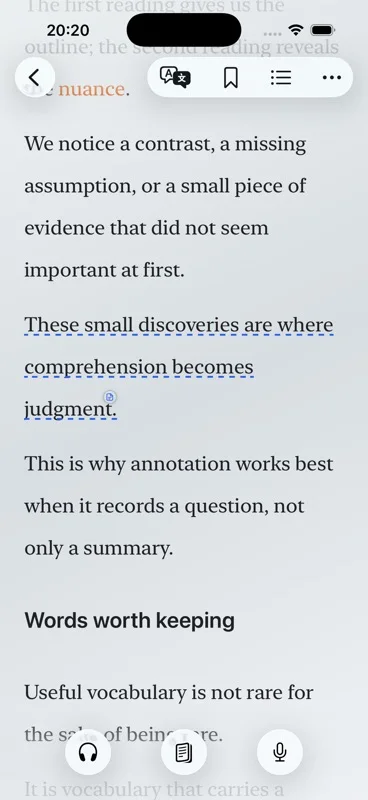
Short answer: get the EPUB onto the iPhone, import it to Aurader’s Bookshelf, open the chapter, and press listen. This page is the procedure. EPUB reader with text to speech explains when an EPUB is the right file.
Read an EPUB aloud on iPhone, step by step
- Put the file where iOS can see it. AirDrop, Files, or the share sheet from the app that has the EPUB. Aurader imports files you choose. It does not fetch a store you are not signed into.
- Import it to the Bookshelf. EPUB, PDF and TXT for longer reading live there. Do not drop a whole novel into Articles.
- Open a chapter. If the EPUB has a table of contents, start there instead of paging from the cover. Some TXT files have had incomplete contents until re-import. An EPUB with a broken contents list has the same practical fix: re-import a clean copy.
- Pick the voice before a long session. Apple system voices cover more than English. On-device neural voices are English. Cloud voices and your own TTS API need a network, and they send the text required for synthesis to that provider.
- Press listen. The spoken sentence stays highlighted. You can read ahead. The listening position stays where the voice is.
- Set speed, then optional sound. Slow down a dense chapter or speed up a familiar one. Background music and ambient sound are optional and should stay quieter than the voice. A sleep timer can stop playback.
iPhone and iPad both work. Aurader requires iOS 18 or iPadOS 18 or later. Continue later from the Home Screen widget, or play a book with CarPlay, once the book is already in the library.
Three ways people actually use this
A commute is a chapter at a higher speed, with highlighting on so a station stop does not lose the sentence. Bedtime is a slower speed plus the sleep timer, and background music only if it stays under the voice. A language chapter is slower still: look a word up, save it to the wordbook, and leave the translation on the page. None of those need a different app. They need the EPUB imported before you start.
If the book is a stack of scanned pages someone labeled EPUB, the voice will not invent the text. Open a chapter and see whether sentences select. If they do not, it is not a usable EPUB, whatever the extension says.
What to adjust after the chapter starts
Themes, fonts and spacing change how the EPUB sits on the screen while the voice continues. Highlight a line, add a note, look a word up, or translate it. Saved words go to the wordbook. A sentence can become a card. For a study routine built on those tools, use text to speech for study.
If you will be offline, download or enable the system voice, or the English on-device neural voice, before you leave. Offline text to speech lists what still needs a connection.
When the EPUB will not read aloud
- Nothing is highlighted. Confirm you pressed listen, not only opened the page. Reading and listening are separate.
- The voice is silent offline. System and English neural voices can work on device. A cloud engine or your own API cannot.
- Chapters are missing. The contents live in the EPUB. Re-import a fresh copy if the file arrived incomplete.
- A name is mispronounced. Pronunciation settings are there for recurring names. They do not rewrite the book.
- The file is actually a PDF. Switch to PDF text to speech on iPhone.
Free tier: 10 books and 10 articles. Background music is 20 minutes a day until Premium. The app is free to download. Premium is a lifetime purchase or a weekly subscription.
Questions about this guide
How do I read an EPUB aloud on iPhone?
Import the EPUB to Aurader’s Bookshelf, open a chapter, choose a voice, and press listen. The spoken sentence stays highlighted.
Can I keep reading while it speaks?
Yes. Listening position and reading position are saved separately.
Which EPUB voices work offline?
Apple system voices, once available on the device, and English on-device neural voices. Other engines need a network.
What if my book is a PDF instead?
Use the PDF text-to-speech steps. An EPUB and a PDF are imported the same way only if the PDF actually contains text.